

INTRODUCTION
Signing up for Calentivo only takes a few minutes. This guide will walk you through the full onboarding process, from creating your account to setting your business location and launching your booking page.
By the end of the setup, you will have your own booking page where customers can book appointments online.
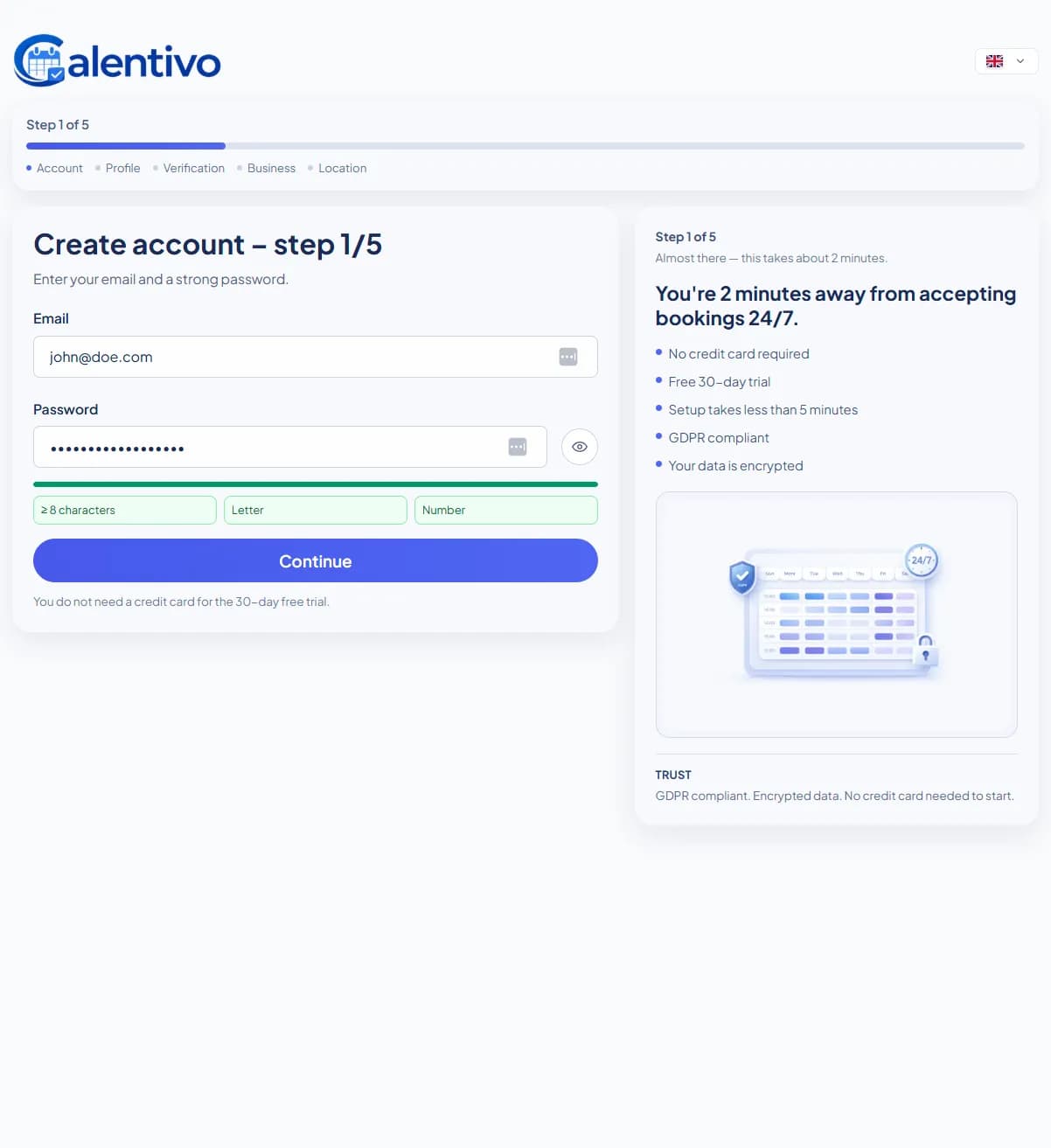
STEP 1 — CREATE YOUR ACCOUNT
First, you need to create your Calentivo account using your email and password.
Enter the following information:
• Email address
• Password
Your password must include:
• At least 8 characters
• Letters
• Numbers
Click Continue when finished.
You do not need a credit card to start the free trial.
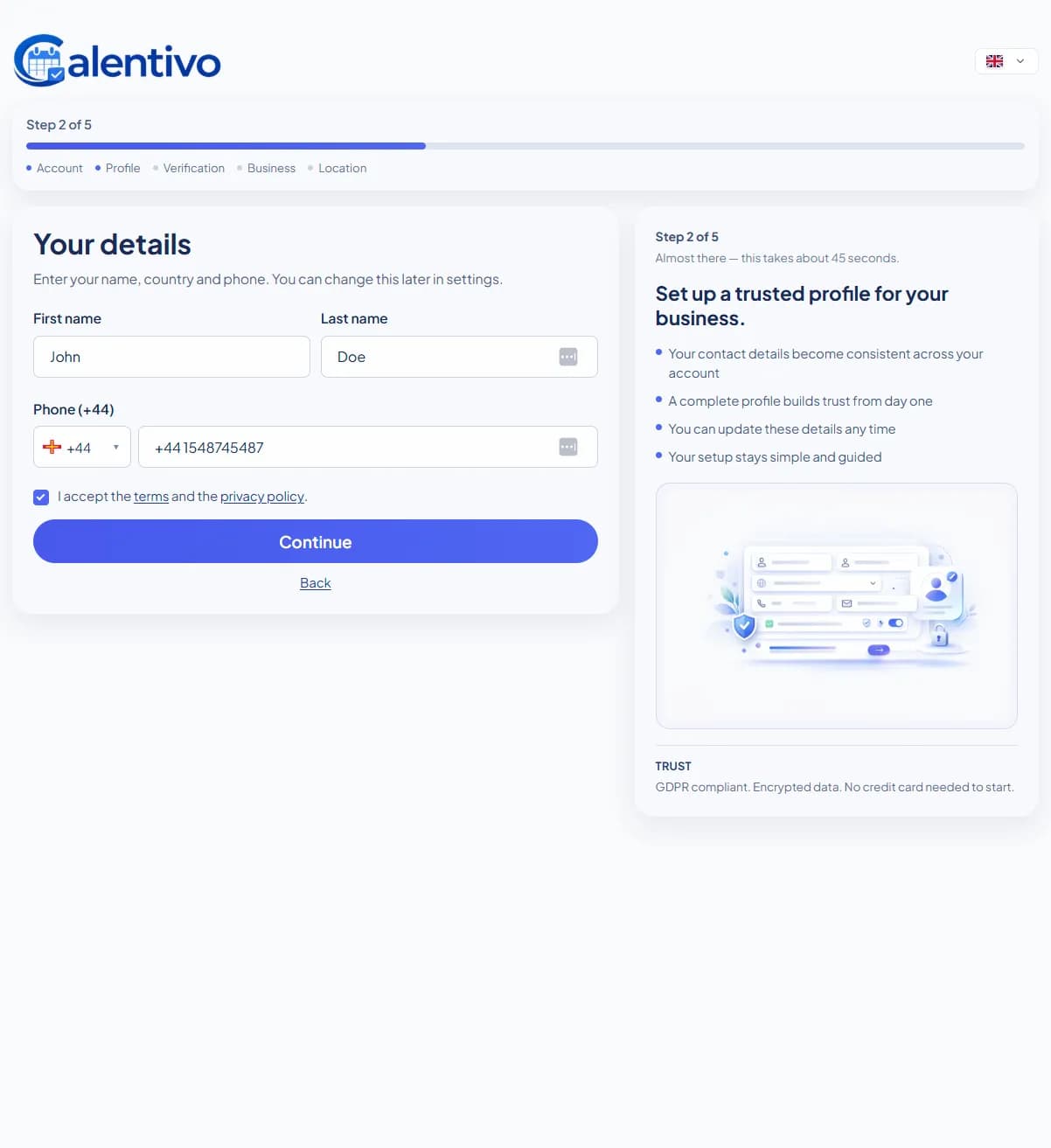
STEP 2 — ENTER YOUR DETAILS
In this step, you enter your personal contact details.
Fill in:
• First name
• Last name
• Phone number
• Accept the terms and privacy policy
This information is used for your account and business profile. You can change this later in settings.
Click Continue to proceed.